Recruiters and HR
Recruiting
From a branded careers page to a clean, searchable pipeline, with every candidate conversation on the application page.
What you get
Careers page with Google Jobs markup
Your jobs at yourdomain/c/company, with structured data so roles can appear in Google’s job search.
Forms per job category, with knockouts
Ask what each role needs. Knockout answers flag an application for review — they never reject it.
Bot-proof applications
An invisible Cloudflare Turnstile check, a verified email code and PDF-only resumes, each checked and stripped of scripts before anyone opens it.
Resumes parsed for you
Contact details, skills, experience and a readable HTML view, extracted automatically. You check anything it isn’t sure about.
Search in plain words, with an explained match score
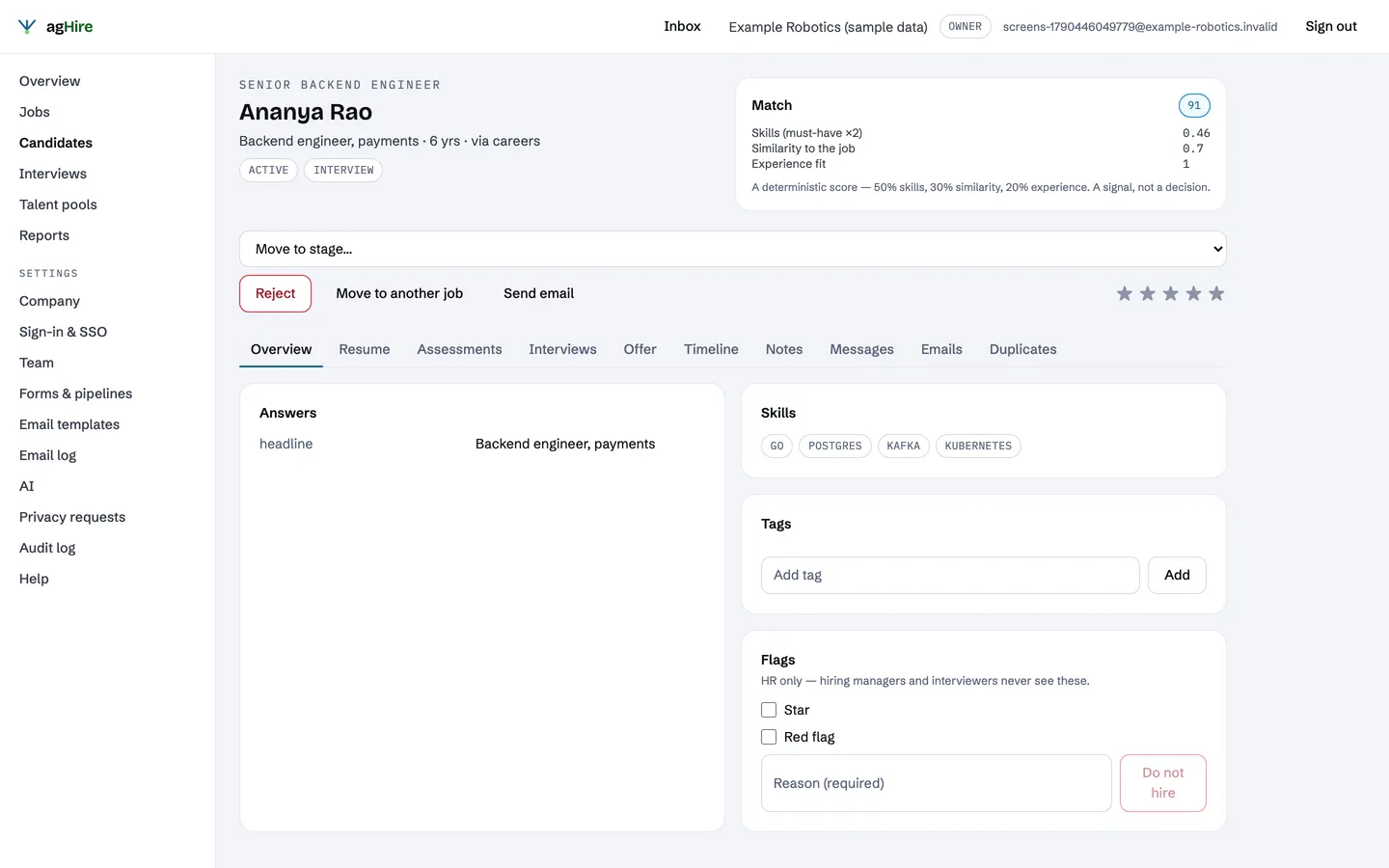
“Backend engineers who have used Kafka” finds the right people. Each match score shows its three parts.
Board or table, saved views, tags and bulk actions
Work the pipeline the way you like, and act on a hundred candidates at once.
Move a candidate to the right job in one step
History and events come with them.
Duplicates and talent pools
Merge the same person applying twice, keep strong runners-up in pools, and tell them when a fitting role opens.
Add candidates you already have
Upload one resume, or up to 100 PDFs with an optional CSV of names and emails. Review what was parsed and any possible duplicates, then import. Nothing is created until you confirm.
Stage emails, no inbox to watch
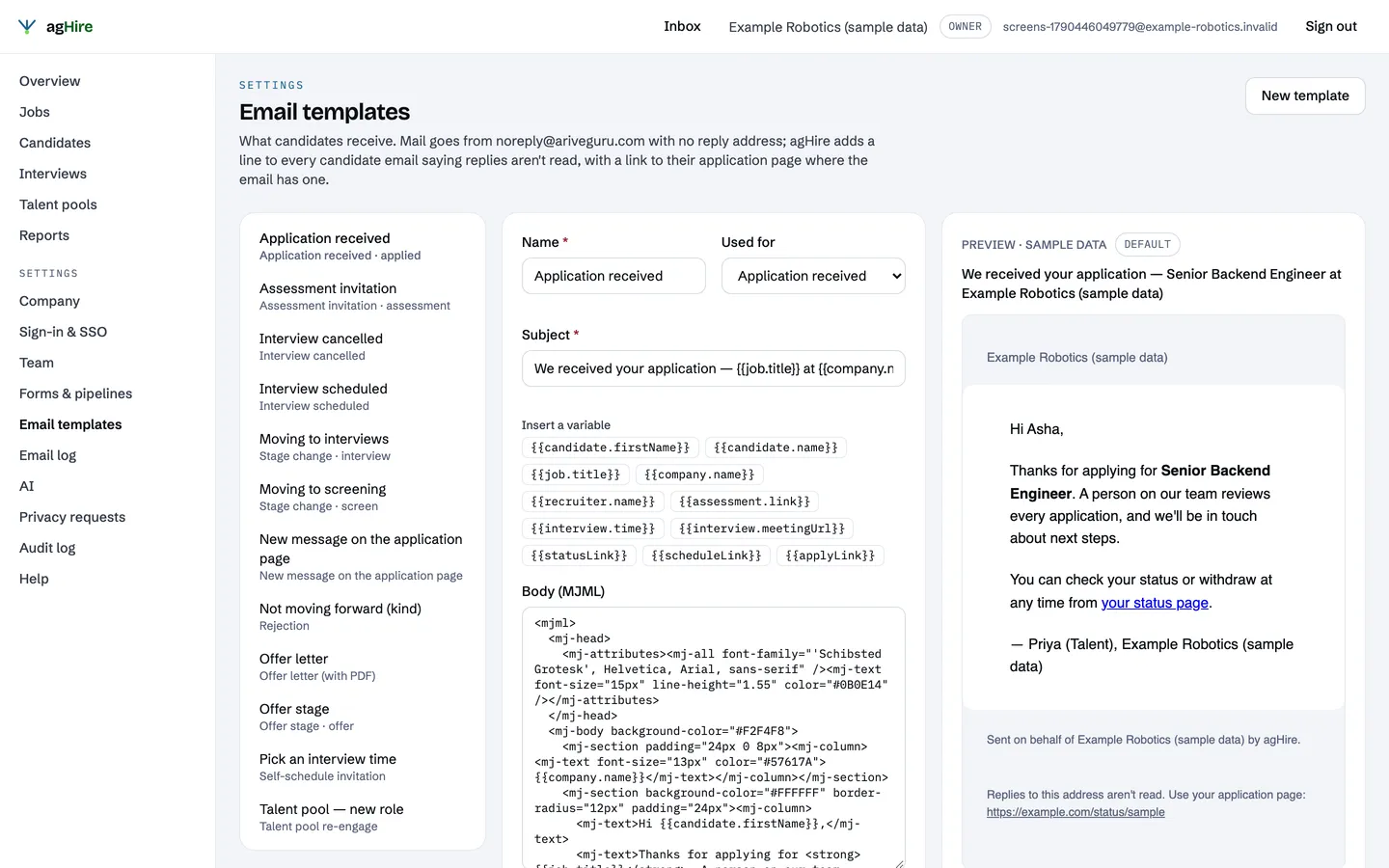
Every move asks: send, edit or skip. Mail goes from a no-reply address, and every candidate email links their application page. Rejections wait 48 hours and can be cancelled.
Messages on the application page
Candidates write to you from their application page and read your replies there. Owners, admins and HR reply from the candidate’s Messages tab. The candidate’s email carries only a link, at most one every 15 minutes.
Candidates control their email
A “Stop non-essential emails” button on the application page. Emails about their own application still arrive.
Scheduling with a pick-a-slot link
Choose a time from your panel’s working hours and existing interviews, or send the candidate a link to pick one. Invites go by email with a calendar file; add your own meeting link.
Offers with approvals
Terms visible only to HR and approvers, an approval chain in order, and a letter generated for you.
Share links
Your team gets a link per job; applications that come through it are tagged with its source.
Employee referrals with a bonus
An employee refers someone they know by name and sees the reward first. The candidate confirms it when applying. After the waiting period, HR checks both still work here and records the bonus. agHire tracks the payment; it doesn’t make it.
Also in agHire
Start with the free plan
One job, three teammates, 200 applicants a month. No card, no time limit.